🖥️
KLO Free Software
Below are a few Windows-based tools for BBC Microcomputer enthusiasts,
followed by some other Windows apps including a contour map creator,
a Mandelbrot explorer, and an automatic photo organizer. I hope you find them fun or useful, and please
let me know what you think, or if you have suggestions for new features, bug fixes
or other improvements.
Getting the BBC Micro running again led me to write some tools for viewing BBC disk images,
tokenised BASIC files, and data files, and for working with BBC Micro Compressed ROM
Filing System images, which squeeze multiple files into a single 16 KB "sideways ROM".
These are explained in more detail below, and have links to their own help and download pages.
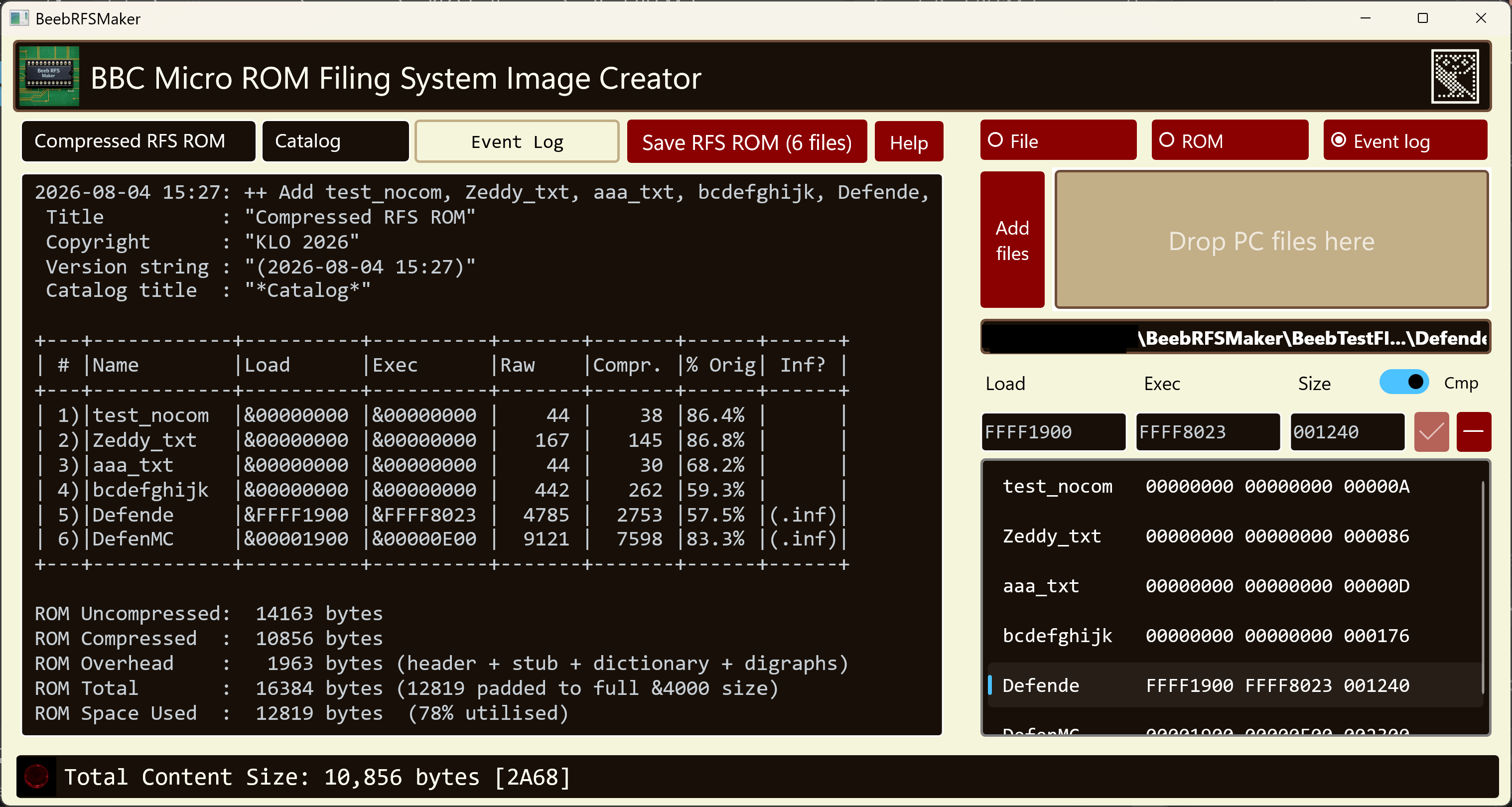
This is a Windows WinUI 3 GUI application for packing files into a Compressed ROM Filing System sideways ROM image, and extracting them back out, with a built-in hex editor and editable load and execution addresses. Compatible with comprom.pl v2.10 by Greg Cook.
Windows
WinUI 3
Microsoft Store
BBC Micro
Free
Here is BeebRFSMaker packing a set of BBC Micro files into a 16 KB sideways ROM image:
This is the corresponding command-line version, designed for use in batch files and build pipelines. It shares the same compression engine as BeebRFSMaker but runs standalone with no GUI required.
Windows
Command Line
Microsoft Store
BBC Micro
Free
C:\LocalOnly\RFS> BeebRFSTool pack .\BeebFiles NewRFSCompr.rom
BeebRFSTool v2026-06-08_16:11 - BBC Micro ROM Filing System (RFS) Pack, List, and Extract Tool by Kara Ottewell
Compatible with both standard RFS and Greg Cook's compressed RFS "comprom" format v2.10
Packing with compression enabled (compressed RFS) to NewRFSCompr.rom.
 Title          : "CompressedRFS"
 Copyright      : "KLO 2026"
 Version string : "(2026-06-08 17:28)"
 Catalog title  : "*CompRFS*"
+---+------------+----------+----------+-------+-------+------+------+
| # |Name        |Load      |Exec      |Raw    |Compr. |% Orig| Inf? |
+---+------------+----------+----------+-------+-------+------+------+
| 1)|aaa_txt     |&00000000 |&00000000 |    44 |    30 |68.2% |      |
| 2)|bcdefghijk  |&00000000 |&00000000 |   442 |   263 |59.5% |      |
| 3)|Defende     |&00005000 |&00008023 |  4785 |  2754 |57.6% |(.inf)|
| 4)|DefenMC     |&00001900 |&00000E00 |  9121 |  7598 |83.3% |(.inf)|
| 5)|test_nocom  |&00000000 |&00000000 |    44 |    38 |86.4% |      |
| 6)|Zeddy_txt   |&00000000 |&00000000 |   167 |   145 |86.8% |      |
+---+------------+----------+----------+-------+-------+------+------+
ROM Uncompressed:  14163 bytes
ROM Compressed  :  10858 bytes
ROM Overhead    :   1958 bytes (header + stub + dictionary + digraphs)
ROM Total       :  16384 bytes (12816 padded to full &4000 size)
ROM Space Used  :  12816 bytes  (78% utilised)
ROM Image Saved: NewRFSCompr.rom
Three command-line utility programs for viewing BBC Micro files or disk images.
Windows
Command Line
Microsoft Store
BBC Micro
Free
I wanted some command-line utilities to display the content of .dsd files, and decode
BBC BASIC files along with "PRINT#"-type BBC data files, so I wrote them as console
applications using .NET. The utilities are:
- BBCBasicToText — display a tokenised, binary BBC Micro BASIC file as text, HTML, or bbcode.
- BBCDataFileToText — show BBC
PRINT# type data files as text, HTML, or bbcode.
- BBCReadDiskImage — display
*CAT-style output of .DSD or .SSD disk images, with the ability to export files individually and dump sectors.
All three tools can produce colour output — strings, keywords, and so forth are coloured differently —
and can output plain text (in colour when writing to a command prompt window), bbcode, or HTML.
  10 REM New version of 'INTRO' from
  20 REM Welcome pack
  30 REM By John Coll & Andrew Gordon
  40 ON ERROR GOTO 630
  50 ENVELOPE 1,1,-RND(50),-RND(50),-RND(45),255,255,255,127,0,0,-127,127,0
  60 SOUND 1,1,255,255
  70 DIM COM%11
  80 M0=650:M1=500:M2=708:M3=104:M4=288:M5=550:M6=720:M7=450:M8=5
  90 MODE5
 100 VDU5
 110 VDU23,255,255,255,255,255,255,255,255,255
 120 GCOL0,135
 130 CLG
 140 VDU18,0,129,24,128;128;1152;896;16,18,0,135,24,256;256;1024;768;16,26
 150 FORI%=M1 TO M2 STEP M3:PROCSWOOSH(M0):PROCLETTER:NEXT
 160 $COM%="DISC SYSTEM"
[Snip rest of "Welcome" BASIC program]
Windows Apps
Here are some of the other Windows apps I have been working on. The first is a contour map generator,
and the second is a Mandelbrot/Julia set explorer which lets you save favourite points, and export PNGs
of the plots. The third is a command-line tool for tidying up a folder full of photographs and video clips.
KOContour reads in elevation data files from your computer, or elevation servers such as the
Open Topo Data and
OpenTopography servers,
and creates contour maps from them.
Windows
UWP
Microsoft Store
Free
I was looking for a contour map of various places but couldn’t find a simple, free one that did what I wanted.
So, I decided to write my own and use it to figure out how to submit things to the Windows Store. The result was KOContour.
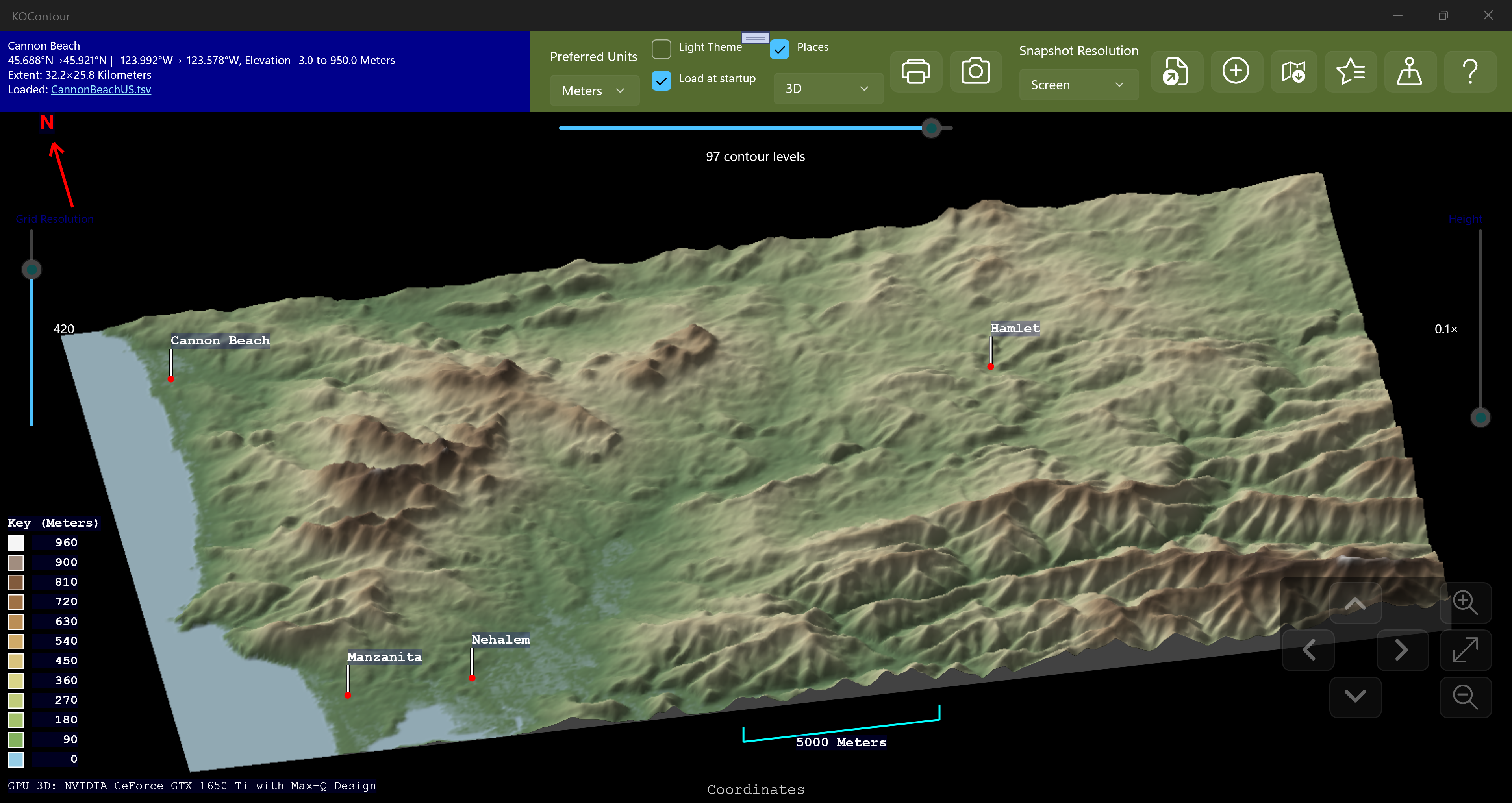
It comes with known places including all the world capitals, along with US state and Canadian province capitals, and you can supplement
these by adding your own places, by either right-clicking the map to generate a list of suggestions, or entering the data yourself.
There are four display modes, and your selected choice is remembered across sessions:
- Lines — the classic contour map, each level drawn as a coloured line.
- Gradient Shade — the map is filled with a smooth colour gradient that blends from one
contour level to the next.
- Block shade — each contour band is filled with a single solid colour, giving a stepped,
"layer-cake" look.
- 3D — the terrain is drawn as a shaded three-dimensional relief surface that you can rotate
and zoom.
The colours, and various other appearance-related items, are configurable from the colour scheme choice dialog.
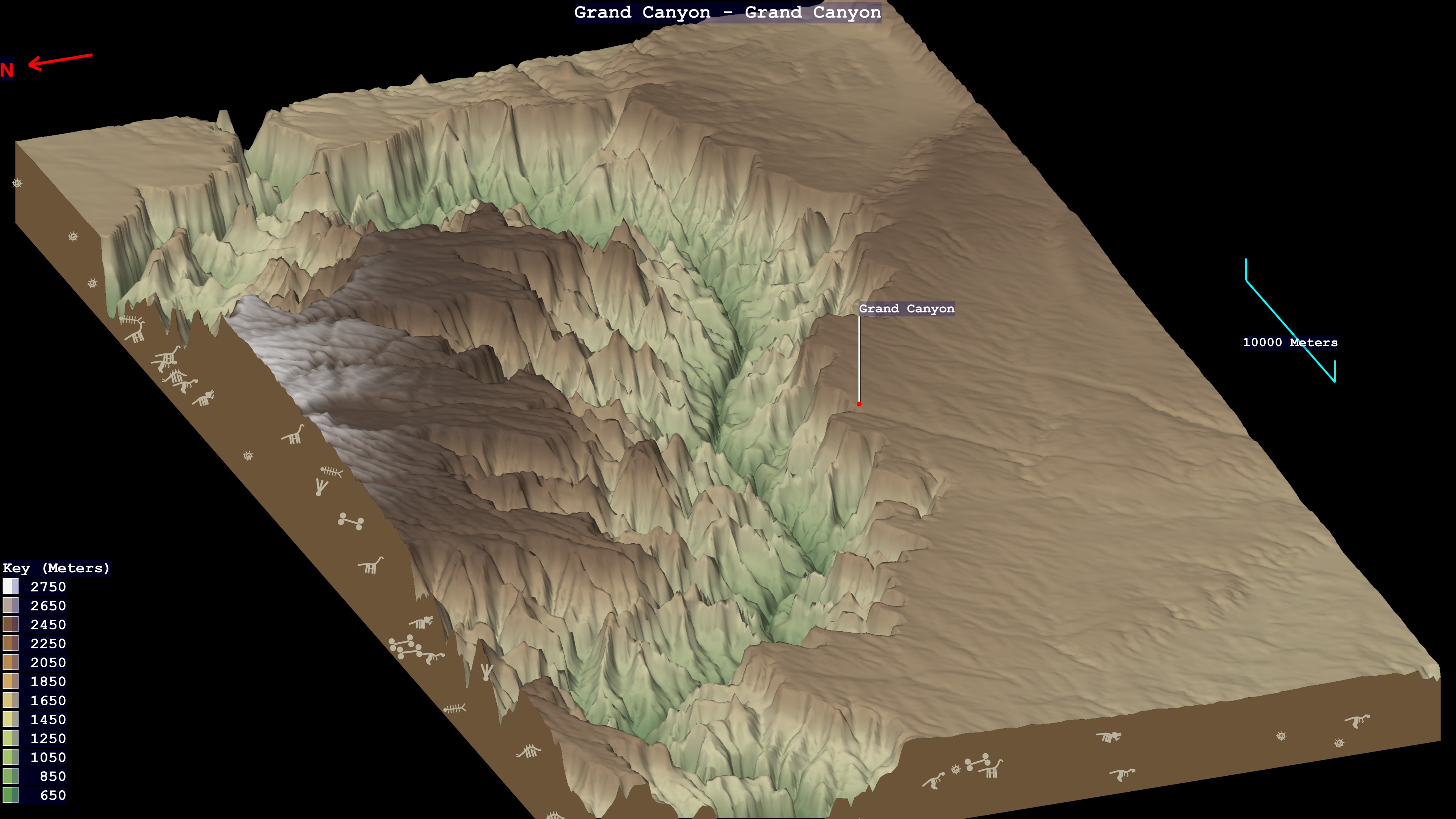
KOBrot is an interactive explorer for the Mandelbrot and Julia sets — zoom into the fractal,
paint it with a choice of colour maps, and watch the matching Julia set update live as you move the pointer.
Windows
UWP
Microsoft Store
Free
Having enjoyed writing KOContour, I wanted to try my hand at a very different
kind of graphics, so I wrote KOBrot, a Mandelbrot/Julia set explorer.
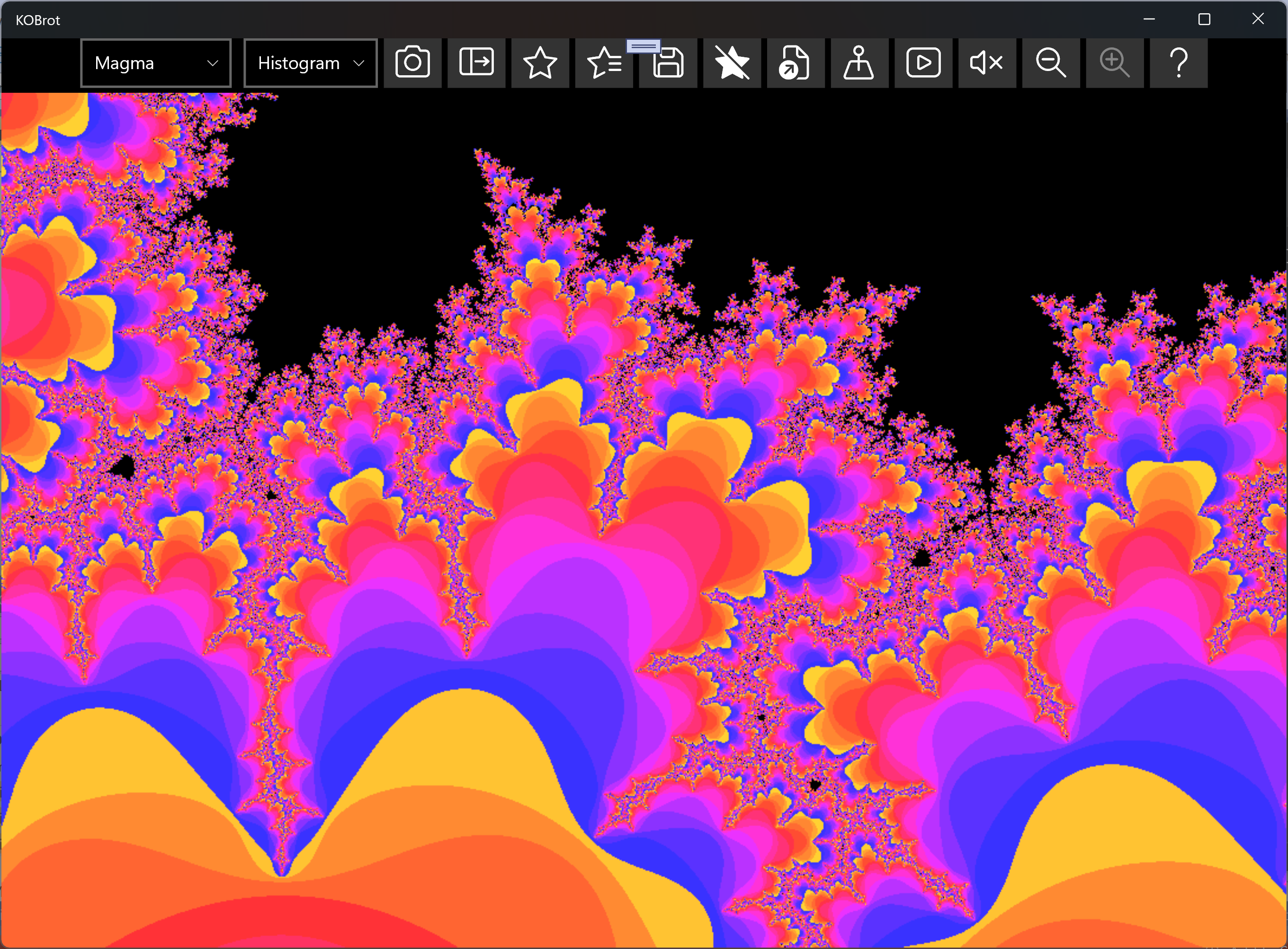
You can zoom in using the mouse pointer or touch screen, and can pinch-to-zoom with the latter. You can step back and forward
through your zoom history, and recolour the picture on the fly using a colour-wheel rainbow, the colour-blind-friendly Viridis,
or a colour-popping random palette. Every point on the Mandelbrot set has its own Julia set, and KOBrot draws it live as you move the pointer
around.
When you find a view worth keeping, save it to your favourites, complete with a title and creator tag, and
reload it exactly as you left it. You can save your discoveries as UHD snapshot pictures under your "Pictures" folder. There's
plenty to explore in your fractal journey using KOBrot!
SnapDragger tidies up a folder of photographs and video clips from the command line. It reads the date
each picture was actually taken from inside the file, renames everything to sortable timestamped names,
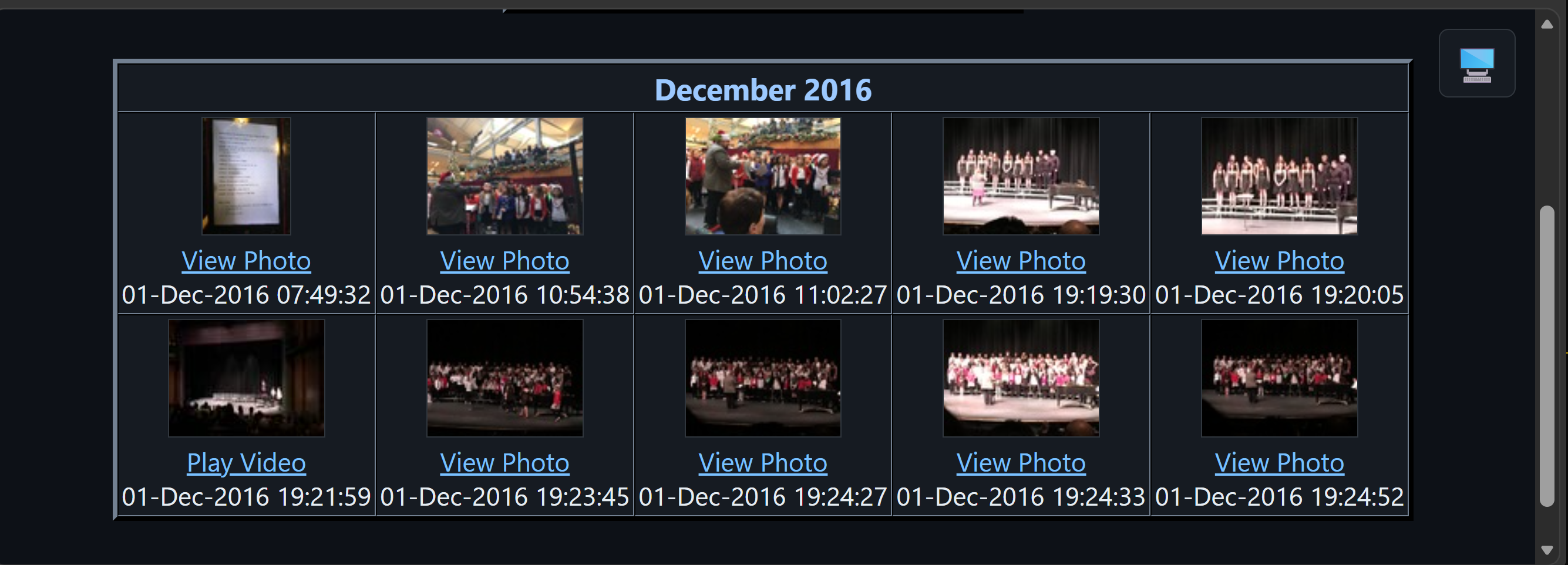
files them into year and month folders, and builds an HTML contact sheet of the whole library.
Windows
Command Line
Microsoft Store
Photos & Video
Free
I first wrote SnapDragger back in 2006, to share family photographs — taken on a Sony Mavica —
with friends and family through a web server I was hosting on a VAX/VMS machine. Twenty years later I came
back to it, and version 3.0 handles JPEG, HEIC, AVIF and PNG pictures along
with MOV, MP4, WMV and AVI clips.
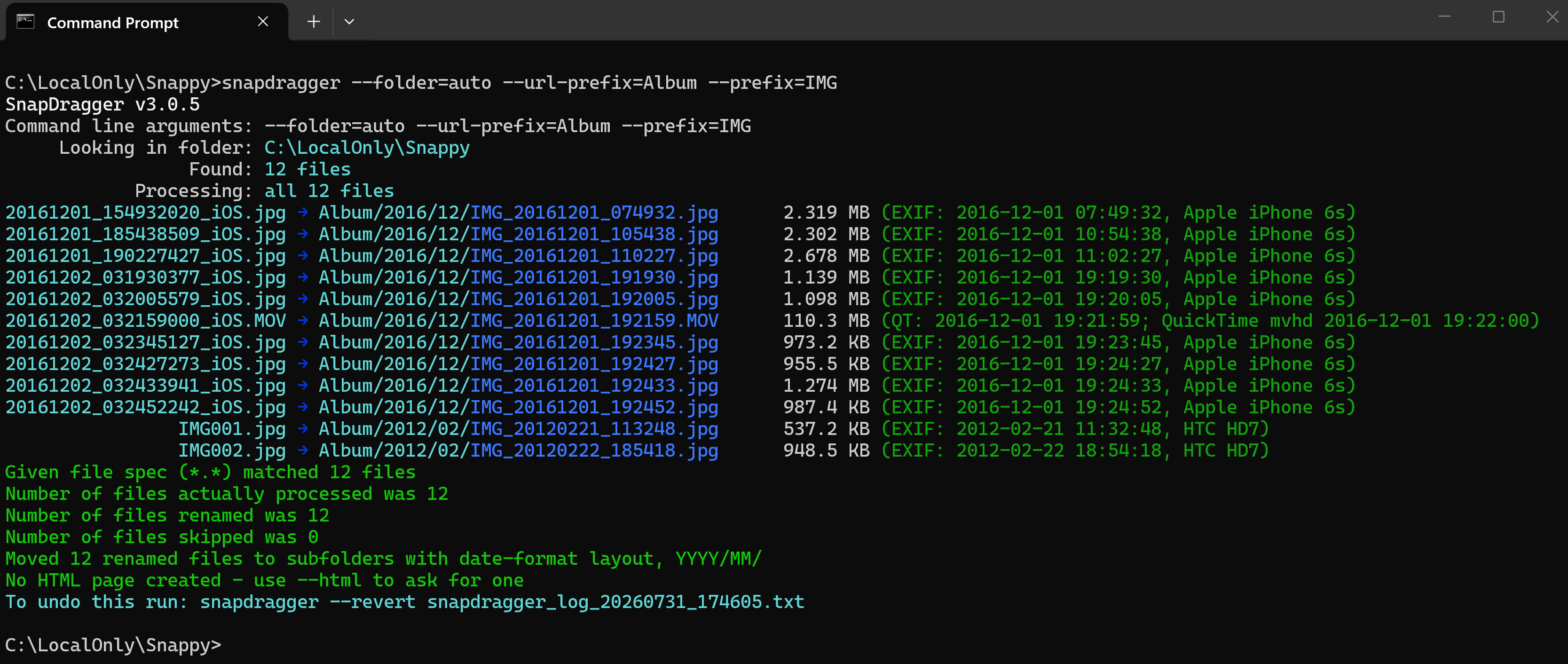
Nothing is renamed unless you ask for it, every run can be previewed first with --dry-run, and
every run that moves anything writes a log so it can be undone afterwards with --revert. The
contact sheet it produces has a table for each month, in date order, and is rebuilt from what is on
disk — so adding more photographs later only rebuilds the months you added to.
Video is the tricky part. A movie header often records UTC and says nothing about where the camera was,
so a clip filmed on holiday comes out hours wrong if it is simply converted to whatever timezone the
computer happens to be sitting in now. SnapDragger works the offset out for each recording, from a nearby
clip that states its own, or failing that from the photographs taken around the same time.
My PGP Public Key is available on key servers like the Hockeypuck OpenPGP keyserver or the keys.openpgp.org key server under my key ID 6D1A2D5536CD052E50B96A8F595E7CC0A343AEAA. You can obtain my email address from that, if you wish to contact me with comments.